
AI Tips for Families
Audience
These tips are designed for parents, guardians, and caregivers of K-12 students. Whether your child is in elementary, middle, or high school, there are age-appropriate strategies to start conversations, discuss boundaries, and learn about AI together as a family.
This guide provides practical, research-backed tips to understand AI, protect your children, and build healthy technology habits together. You don’t need to be a tech expert to use these tips—just a caring parent with curiosity to guide your child in an AI-powered world.
How is AI Used?
AI is more than just a search engine or a digital assistant. It is a tool that can perform many different tasks such as:
- Computer Vision: AI can be trained on patterns or “see” by looking at photos and identifying what is in them, like telling a cat from a dog, or helping a self-driving car notice a stop sign. Many families already experience computer vision tools when using a smartphone app using facial recognition to identify family members in photos or group pictures by location.
- Problem Solving: AI algorithms are used to predict millions of possibilities in seconds. This helps scientists discover new medicines or weather experts predict a storm.
- Generative AI: Today, this is the most common use of AI. Using a large language model (LLM), the AI can generate stories, draw pictures, and compose music based on the prompts of human creators and patterns it trained on.
- Robotics: AI acts as the “brain” for machines, through the use of sensors and cameras in every-day devices such a robot-vaccums or automated mowers by making real-time decisions.
Artificial Intelligence (AI) is changing how children learn, play, and connect with others. From personalized learning tutors to social media algorithms, AI is already part of your child’s daily life—often without you knowing.
Using AI as a Learning Tool (Not a Shortcut)
AI, like calculators, spellcheck, or the internet itself, is a tool. Tools can support learning—or replace it—depending on how they’re used. These tips are not about avoiding AI altogether. Instead, they are meant to help families guide children toward productive, ethical, and thoughtful use of AI—where the student is still doing the thinking, questioning, and learning. When used well, AI can:
- Help students clarify confusing concepts
- Offer feedback that pushes thinking forward
- Support creativity, brainstorming, and revision
- Encourage curiosity through “what if?” questions
The goal is not less AI – it’s better AI use.
Important: Know Your Rights
Federal laws like the Children’s Online Privacy Protection Act (COPPA) protect children under 13 from having their data collected without parental consent. The Children’s Internet Protection Act (CIPA) requires schools to filter harmful or obscene internet content on school networks. Check your child’s school and district Acceptable Use Policy (AUP) to learn the safeguards for data privacy and approved tools. For more information on federal regulations, visit the Federal Trade Commission’s guide for parents.
Jump to Section
We want your feedback!
The Florida K-12 AI Education Task Force is committed to developing practical, evidenced-based guidance for families, guardians, and caregivers across the state. We welcome feedback from families, educators, and community members. Please use track changes and the commenting feature on our Working Google Doc to suggest updates or additions. We also want to set a tone that these are suggestions, rather than directing parents what to do. We encourage feedback that helps the Task Force set this tone.
Tip 1: Understanding AI Basics as a Family
Why this matters: Understanding the foundational concepts of AI can guide families in acceptable use. There is no need to be a computer scientist; simple curiosity and a willingness to learn alongside your child is a way to get started.

Learn AI vocabulary together
- Purpose: to build a shared language for talking about AI as a family.
- Example: “Let’s learn three new AI words this week: ‘algorithm’ (a set of rules a computer follows), ‘chatbot’ (a computer program you can have a conversation with), and ‘prompt’ (the question or instruction you give to AI). Can you find examples of each?”
- Learn More: Common Sense Media: Parents’ Ultimate Guide to Generative AI
Explore AI tools your child already uses
- Purpose: to understand how AI is already present in your child’s daily life.
- Example: “Show me the apps you use most. Let’s figure out together which ones use AI—like how TikTok’s ‘For You’ page knows what videos to show you, or how Snapchat’s filters recognize your face.”
- Learn More: Common Sense Media: Helping Kids Navigate AI
Watch AI-related content together
- Purpose: to create opportunities for natural conversations about AI.
- Example: “Let’s watch a short video about how AI works and then try making up our own simple ‘algorithm’ for making a peanut butter sandwich. What steps would a robot need to follow?”
- Learn More: Day of AI & Common Sense: AI Literacy Toolkit for Families
Try AI tools together
- Purpose: to build hands-on experience and see AI’s strengths and weaknesses firsthand.
- Example: “Let’s ask an AI chatbot to help us plan dinner for the week. Then let’s check—did it give us realistic recipes? Did it consider our family’s preferences? What did it get right and wrong?” “Did the AI suggest recipes that fit our actual schedule, or did it miss the fact that we have soccer practice on Tuesdays?”
- Learn More: Harvard GSE: The Impact of AI on Children’s Development
Foster Open Communication on the Use of AI
- Purpose: to allow open lines of communication between the student and parent(s)
- Example: “If something seems unsafe, questionable, or inaccurate, the student should feel comfortable coming to the parent with these concerns. This creates an opportunity to learn together about safe use of AI.”
- Learn More: Raspberry Pi Foundation: AI Literacy Research with Families
Tip 2: Protecting Your Family’s Data and Privacy
Why this matters: AI systems can collect large amounts of data: your search queries, browsing habits, location data, and even your voice and face. How this data is stored or used to improve the AI systems differs by company. The Federal Trade Commission (FTC) recently strengthened COPPA and CIPA to give parents more control over their children’s data. Understanding how data is collected and stored helps you make informed decisions about which AI tools to use and how to use them safely.

Teach your child about personally identifiable information (PII)
- Purpose: to help children understand what information should remain private.
- Example: “If someone online asks you a question, and your answer could help a stranger find you in the real world, it’s private and you shouldn’t share it.”
- Learn More: FTC: Children’s Privacy Guide for Parents
Review and set app privacy settings
- Purpose: to limit how much data AI tools can collect about your child.
- Example: “Let’s go through your apps together and check privacy settings. We’ll turn off location tracking for apps that don’t need it, disable ad personalization, and make sure your accounts are set to private.”
- Learn More: UNESCO Online privacy checklist for parents
Check if apps are using data to train AI
- Purpose: to understand how your child’s conversations and creations might be used. Most AI platforms require users to be at least 13 or 18 years old. Checking the “Terms of Service” for age limits is a simple way for parents to vet tools.
- Example: “Many AI chatbots save your conversations to ‘train’ their systems—which means your words become part of their learning. Let’s look for settings that let us opt out of this, and remember: never share secrets or private information like your full name, home address, or private photos with AI.”
- Learn More: Office of the Privacy Commissioner: Growing Up with AI Privacy Risks
Read privacy policies together (the simple version)
- Purpose: to understand what you’re agreeing to when using AI tools. Checking the age requirements of the privacy policies can start the conversation on acceptable use as well as data privacy protection.
- Example: “Before we download this new app, let’s look at Common Sense Media’s review to see what data it collects. They’ve already read the long privacy policy and summarized the important parts for families.”
- Learn More: Common Sense Media: AI Ratings and Reviews
Empower Your Family
- Purpose: to empower your family to take action when needed as well as make informed decisions about technologies.
- Example: “Under federal law, websites and apps must get my permission before collecting data from you if you’re under 13. I have the right to see what data they’ve collected, ask them to delete it, and stop them from sharing it. If something doesn’t seem right, we can report it together.”
- Learn More: FTC: COPPA Frequently Asked Questions
Positive Reinforcement of Responsible AI Use
- Purpose: to reinforce and celebrate when the student uses AI to support learning. Focusing on effective strategies rather than restrictions, builds confidence and student agency.
- Example: “I noticed you used AI to ask follow-up questions instead of copying an answer. That’s great thinking! I like how you used AI to revise your writing and kept your own ideas!”
Tip 3: Managing AI Chatbots Safely
Why this matters: Research shows that many teens have used AI chatbots, which are sometimes designed to feel conversational and friendly. Some young people have reported that they enjoy these interactions, especially when they are bored, stressed, lonely, and want to talk to a friend. However, studies also show most AI chatbots are not designed to handle teen mental health needs including during sensitive situations or mental health distress. Because AI chatbots are not trained professionals, families should approach their use with care, especially as related to AI conversations that involve feelings, relationships, or any personal problems.

Explain the difference between AI chatbots and real relationships
- Purpose: to help children understand that AI chatbots are not human.
- Example: “AI chatbots are designed to seem friendly and understanding, but don’t have feelings or awareness. They’re programmed to keep you talking—that’s their job. Real friends, family, and counselors can listen, care, and help you in ways AI never can.”
- Learn More: Common Sense Media: Parents’ Guide to AI Companions
Set clear boundaries about emotional topics
- Purpose: to protect your child from getting harmful advice during difficult moments. If your student begins to use a chatbot for emotional support, take the opportunity to gently suggest a check-in with a parent, counselor, or trusted friend to ensure they rely on a human connection over AI.
- Example: “AI is great for homework help or creative projects, but if you’re feeling sad, anxious, or upset, please come talk to me or another adult you trust. AI doesn’t always give safe advice about feelings—research shows it gets it wrong more often than not.”
- Learn More: Stanford Medicine: Why AI Companions and Young People Can Be a Dangerous Mix
Use parental controls when available
- Purpose: to add safety layers to AI tools your child uses.
- Example: “Some AI tools have settings that limit features or control what content is shown but many do not, so we are going to create safety rules. Because we may not be able to see everything you do with AI, we should agree on rules for when and how to use AI. This isn’t about spying—it’s about keeping you safe.”
- Learn More: OpenAI: Introducing Parental Controls | YouTube Parent Controls
Watch for signs of unhealthy attachment
- Purpose: to identify when AI use becomes concerning.
- Example: “I love that you’re exploring these new AI tools, but I also want to make sure we’re keeping plenty of space for ‘real-life’ moments and our friends. If you ever feel like the chatbots are starting to feel more like a go-to than people, or if you feel a bit anxious when you’re offline, let’s just chat about it. I’m always here to listen.”
- Learn More: Psychology Today: AI Companions and Teen Mental Health Risks
Know what to do if AI gives harmful advice
- Purpose: to prepare your child to respond safely to inappropriate AI responses. Encouraging your child to close the app and report any uncomfortable interactions empowers them to take control of their digital environment.
- Example: “If an AI ever says something that makes you feel uncomfortable, scared, or encourages you to do something dangerous, close the app immediately and tell me. Take a screenshot if you can. You won’t be in trouble—I need to know so we can report it and keep you safe.”
- Learn More: RAND: Teens Using Chatbots as Therapists
Tip 4: Setting Healthy Boundaries with AI Tools
Why this matters: Just like screen time, AI time needs thoughtful limits. The American Academy of Pediatrics recommends focusing on balance, content quality, and co-viewing rather than strict time limits. A Family Media Agreement that includes AI helps everyone understand expectations and creates shared responsibility for healthy technology habits.

Create a Family AI Agreement together
- Purpose: to establish clear, shared expectations for AI use in your home. This document should be ongoing and change as the child gets older and as new tools emerge.
- Example: “Let’s create a family agreement about AI together. We’ll decide: Which AI tools are okay to use? When and where can you use them? What topics are off-limits? What do we do if something goes wrong? Everyone gets a say, and everyone signs.”
- Learn More: Common Sense Media: Family Media Agreement Template
Designate AI-free times and spaces
- Purpose: to protect important family moments and ensure balance.
- Example: “Dinner time and the hour before bed are AI-free zones in our house. During these times, we focus on talking to each other, not to chatbots. We can also have ‘device-free Sundays’ where we do activities that don’t involve screens.”
- Learn More: AAP: Screen Time Guidelines
Model healthy AI habits yourself
- Purpose: to show children what balanced technology use looks like.
- Example: “I’m going to be more mindful about my own AI and screen use. When I use AI for something, I’ll say out loud what I’m doing and why. And I’ll also show you that I ask real people for help too—because human connection matters.”
- Learn More: Penn State: Navigating AI as a Parent
Establish consequences and rewards together
- Purpose: to create accountability that children helped create.
- Example: “Let’s decide together what happens if the AI agreement is broken, and what rewards there might be for using AI responsibly. When you help make the rules, you’re more likely to follow them—and I’ll follow them too.”
- Learn More: SmartSocial: Family Media Agreement Guide
Review and update your agreement regularly
- Purpose: to keep agreements current as technology and your child evolve.
- Example: “Let’s revisit our AI agreement every few months. As you get older and more responsible, we can adjust the rules. New AI tools come out all the time, so we need to keep learning together.”
- Learn More: Pinwheel: AI and Parental Controls—What’s Next
Tip 5: Having Age-Appropriate Conversations About Using AI
Why this matters: How you talk about using AI should change as your child grows. A 6-year-old needs different conversations than a 16-year-old. Research shows that ongoing, open conversations about technology lead to better outcomes. The goal is to build your child’s ability to make good decisions even when you’re not around.

For elementary students—focus on basics and safety
- Purpose: to introduce AI concepts in simple, non-scary ways.
- Example: “AI is like a really smart helper that lives inside computers. It learns by looking at lots of examples—like how you learned to recognize dogs by seeing lots of dogs. But it can make mistakes, so we always check its work. And we never tell it secrets or where we live.”
- Learn More: Common Sense: 5 Tips for Talking to Kids About AI
For middle schoolers—discuss bias and accuracy
- Purpose: to help tweens and teens think critically about AI’s limitations.
- Example: “AI learns from information created by humans—and humans have biases. Let’s try asking AI to show us pictures of ‘scientists’ or ‘nurses’ and see what patterns we notice. Does it represent everyone fairly? Why might that be?”
- Learn More: Common Sense Education: AI Literacy Lessons Grades 6-12
For high schoolers—explore ethics and future impact
- Purpose: to engage teens in deeper discussions about AI’s role in society.
- Example: “AI is going to change how you work, create, and connect. Let’s discuss: Who should be responsible when AI makes mistakes? Is it okay for companies to use your data to train AI? How do you feel about AI creating art or writing essays?
- Learn More: Common Sense Education: AI Literacy Lessons Grades 6-12
-
Use everyday moments as conversation starters
- Purpose: to make AI discussions natural and ongoing.
- Example: When Netflix recommends a show, ask: “How did it know we might like this?” When autocomplete finishes a text, ask: “How did your phone guess that word?” These small moments build AI awareness naturally.
- Learn More: Day of AI: AI Literacy Toolkit Overview
Ask questions instead of lecturing
- Purpose: to encourage your child to think critically rather than tune out.
- Example: Instead of saying “AI is dangerous,” try asking: “What do you think would happen if AI gave you wrong information for a school project? How would you check if it’s right?” Let them work through the reasoning themselves.
- Learn More: eSafety Commissioner: Talking to Children About Deepfakes
Tip 6: Building Critical Thinking Skills at Home
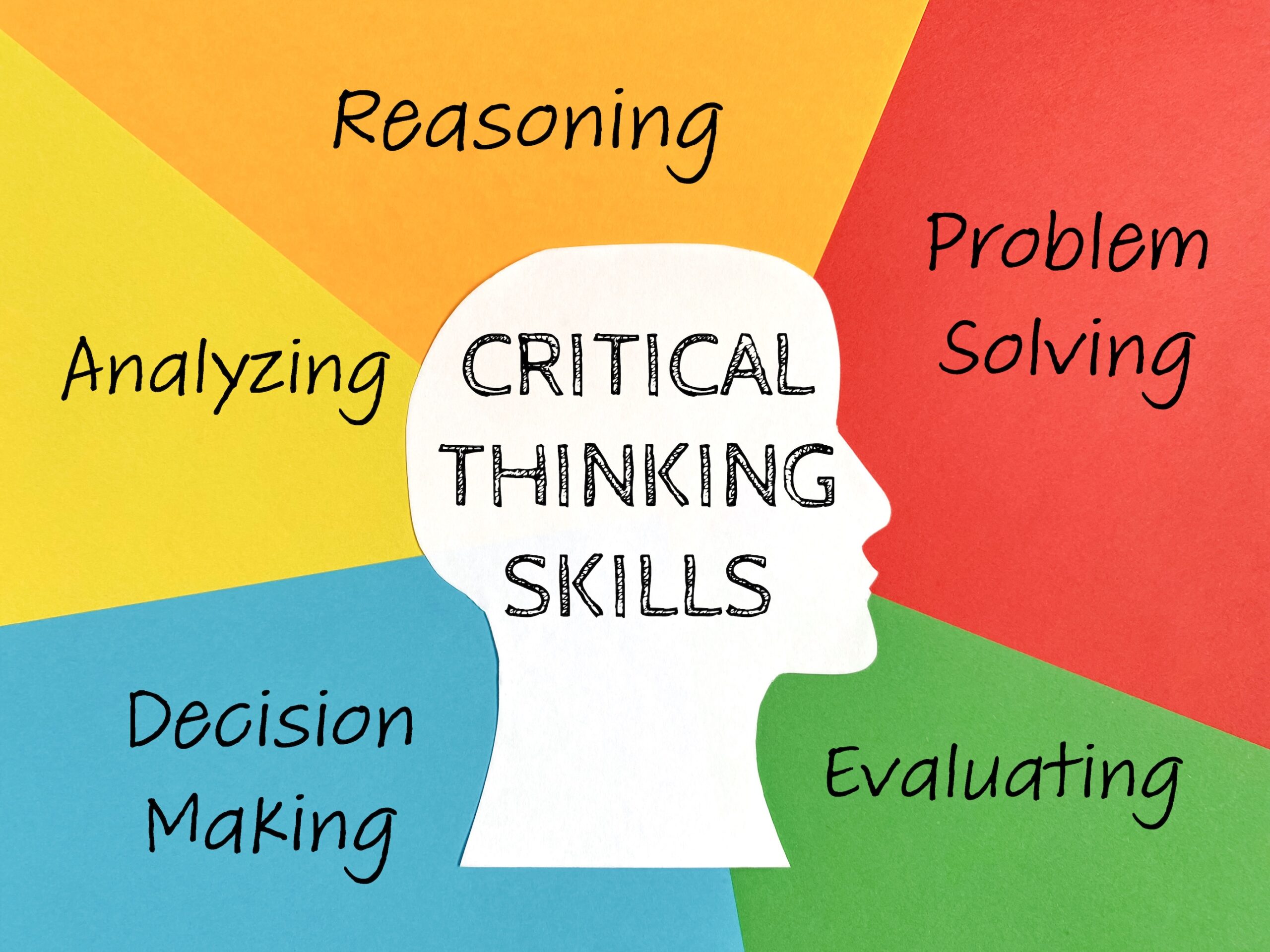
Why this matters: When AI can give instant answers, children may stop thinking for themselves. Families play a crucial role in building the questioning, analyzing, and evaluating skills that AI cannot replace. These skills will help your child succeed no matter how technology changes.
Make fact-checking a family habit
- Purpose: to teach children that AI answers need verification.
- Example: “Let’s play ‘Catch the AI’—we’ll ask AI a question about something one of us already knows well, like your favorite sport or grandma’s hometown. Then we’ll see if it gets it right. AI makes confident-sounding mistakes all the time!”
- Learn More: Stanford CRAFT: Fact-Checking AI Search Results
Practice the ‘Think First, Then AI’ approach
- Purpose: to prevent AI from replacing your child’s thinking. Encourage your child to try a task independently for 10 minutes before using AI to ensure the child’s own creativity and logical “muscles” get a “workout” first.
- Example: “Before you ask AI for help with homework, I want you to try it yourself first. Write down your own ideas, then use AI to compare or add to your thinking. That way, your brain does the hard work and gets stronger.”
- Learn More: Common Sense: Lessons on AI for Students
Encourage productive struggle before using AI
- Purpose: to help children understand that difficulty is how learning happens.
- Example: “Feeling stuck on a problem is actually good for your brain—that’s when it’s building new connections. Try for at least 10 minutes before reaching for AI. If you skip the struggle, you skip the learning.”
- Learn More: Thriving in the Zone of Productive Struggle
Establish consequences and rewards together
- Purpose: to create accountability that children helped create.
- Example: “Let’s decide together what happens if the AI agreement is broken, and what rewards there might be for using AI responsibly. When you help make the rules, you’re more likely to follow them—and I’ll follow them too.”
- Learn More: SmartSocial: Family Media Agreement Guide
Celebrate questions over quick answers
- Purpose:to value curiosity in a world where AI gives instant answers.
- Example: “I love when you ask ‘What if?’ and ‘I wonder…’ questions. AI can give answers in seconds, but coming up with great questions—that’s what humans do best. Let’s write down your most interesting questions of the week.”
- Learn More: The Importance of Curiosity and Questions in 21st-Century Learning
Tip 7: Monitoring the Impact of AI on Your Child’s Learning
Why this matters: AI can be a powerful learning tool, and it can also mask gaps in understanding. When AI does the work, your child may not develop essential skills. Regular check-ins help you see whether AI is truly helping your child learn or just providing shortcuts that will hurt them later.

Ask your child to explain their work
- Purpose: to verify understanding, not just completion.
- Example: “Walk me through how you solved this problem. If you used AI, tell me which parts you understood and which parts you just copied. Explain it like I’m someone who doesn’t know the topic at all.”
- Learn More: Helping Students Hone Their Critical Thinking Skills
Compare AI-assisted and independent work
- Purpose: to identify skill gaps that AI might be hiding.
- Example: “Let’s try this: do half of your practice problems without any AI help, then do the other half with AI. We’ll compare—if your AI-free work looks very different, we know where you need to focus.”
- Learn More: How to Identify Learning Gaps Early: A Parent’s Guide
Build a partnership with your child’s teacher about appropriate AI use
- Purpose: to understand how AI is being used in the classroom and align home expectations.
- Example: “What AI tools are you using in class? When is AI use allowed on assignments? How can we tell if my child is learning or just getting answers? How can we best support the school’s AI policy at home? Let’s make sure home and school expectations match.”
- Learn More: AI Is Moving Fast—But School Responses and Parent Opinions Are Not
Watch for signs of over-reliance
- Purpose: to catch problems before they become serious learning gaps.
- Example: Red flags include: your child can’t explain their homework, they panic when AI isn’t available, they finish work suspiciously fast, or their grades don’t match their understanding. If you see these signs, it’s time for a conversation.
- Learn More: Rising Use of AI in Schools Comes With Big Downsides for Students
Value the Learning Journey
- Purpose: to reinforce that how you learn matters as much as what you produce.
- Example: “Tell me about a time this week when you figured something out on your own, even if it was hard.”
- Learn More: How to Help Students Focus on Learning Instead of Their Grades
Tip 8: Learning About AI Together Through Activities
Why this matters: Research shows that families who explore AI together build stronger understanding and healthier habits. These hands-on activities make AI concepts concrete and create opportunities for meaningful conversations. You don’t need to be a tech expert—learning alongside your child can be just as powerful.

Play ‘Train the AI’ games
- Purpose: to understand how AI learns from data and examples.
- Example: “Let’s pretend I’m an AI and you’re training me to recognize dogs. Show me pictures and tell me ‘dog’ or ‘not dog.’ What happens if you only show me small dogs? Will I recognize a Great Dane? This is how AI actually works—and why it makes mistakes.”
- Learn More: Day of AI: Free AI Activities for Families
Do AI comparison challenges
- Purpose: to see how different AI tools give different results.
- Example: “Let’s ask three different AI tools the same question and compare their answers. Are they the same? Different? Do any of them contradict each other? This shows why we should never just trust one source.”
- Learn More: Common Sense Education: Teaching About AI
Use AI for family creative projects
- Purpose: to explore AI’s creative capabilities together in a fun, low-stakes way.
- Example: “Let’s create a family story together using AI. We’ll come up with the characters and plot ideas, then have AI help us write the adventure. We can edit and improve what it creates—making it truly ours.”
- Learn More: Using digital story writing as a pedagogy to develop AI literacy among primary students
Explore AI recommendations in your daily life
- Purpose: to notice how AI already influences your family’s choices.
- Example: “This week, let’s track whenever AI recommends something to us—a video, a product, a song. Why did the AI think we’d like it? Was it right? What does it tell us about how much AI knows about our family?”
- Learn More: Raspberry Pi: Family AI Literacy Research
Have ‘AI detective’ sessions
- Purpose: to build healthy skepticism and verification skills.
- Example: “I’m going to ask AI something I know the answer to. Your job is to check if AI got it right—research like a detective! If you catch AI being wrong, you get a point. If AI is right and you can prove it, you get two points.”
- Learn More: Create & Learn: AI Activities for Students
Tip 9: Supporting Your Child’s School AI Experience
Why this matters: Schools are rapidly adopting AI tools for personalized learning, writing assistance, tutoring, and grading—but policies vary widely. Some schools encourage AI use, others ban it, and many are still figuring it out. As a parent, you can bridge the gap between home and school by staying informed, asking good questions, and advocating for clear guidelines that help your child learn responsibly with AI when applicable.

Learn your school’s AI policy
- Purpose: to understand the rules before problems arise.
- Example: Review your school’s handbook and/or website to identify policies around AI. Some schools are taking care and time to develop these policies, so they may not be available yet. In these cases, reach out to your child’s teacher (for instance, a homeroom teacher) to ask where your school is in the process and how you can learn more!
- Learn More: MDCPS Artificial Intelligence (AI) in Education: A Parent’s Guide
Ask what AI tools the school uses
- Purpose: to understand how AI is already part of your child’s education.
- Example: Check in with your child’s teacher(s) to see what AI tools are currently being used. It may not be that your child is directly interacting with AI tools, but the school or district may use AI-enabled tools to support administrative or other tasks. It is important to understand what is being used, especially if it may include data from or about your student.
- Learn More: Future of Privacy Forum: Youth and Education Privacy
Align home and school expectations
- Purpose: to create consistent rules so your child isn’t confused.
- Example: “If your teacher says no AI in essays, then that’s the rule at home too—even if I think AI could help. But if AI is allowed for brainstorming, we can use it that way. Let’s make sure we’re on the same page as your school so you don’t accidentally break rules.”
- Learn More: AI for Education: AI in Education 101 for Parents
Advocate for digital citizenship and critical thinking
- Purpose: to shift the conversation from “using vs. banning” to “learning how to think.”
- Example: Instead of just asking if AI is allowed, ask how the school is teaching students to evaluate AI outputs. You might ask: “How are students learning to spot errors or fairness in what the AI writes?” or “Are there lessons on when it is appropriate to use AI versus doing the work yourself?”
- Learn More: Code.org: Empower learning and curiosity at home
Partner with teachers to increase learning outcomes
- Purpose: to build a team approach to not only your child’s AI use, but ensuring their preparation for future learning and work.
- Example: Teachers are figuring out AI at the same time as everyone else. It’s important to work with them. If you or your child is confused about an assignment and AI rules, ask the teacher and improve guidelines together.
- Learn More: Team Up for Success: Tools and Resources for Building Stronger Parent Teacher Relationships
Tips for Families with Children, Grades K-6
Description: Young children are already encountering AI through voice assistants, smart toys, educational apps, and tablets—often before they can read. At this age, children cannot tell the difference between AI and real people, and they naturally trust technology the same way they trust adults. Your role is to introduce simple concepts, set clear boundaries, and stay closely involved in their digital experiences.

AI Tips for Parents of Children, Grades K-2
Help your child understand that AI is a machine, not a friend
- Purpose: to prevent confusion between AI and real people.
- Example: “Alexa and Siri are computer helpers—like really smart robots. They can answer questions and play music, but they can’t actually think or feel.”
- Learn More: Talking to Kids About AI – Privacy, Fairness, and Responsibility
Stay in the room during AI interactions
- Purpose: to supervise and guide your child’s early AI experiences.
- Example: “When you talk to Alexa or use learning apps, I want to be nearby so we can do it together. If the computer says something confusing or strange, we can figure it out as a team. This is how we learn to use new tools safely.”
- Learn More: Child Mind Institute – Screen Time & Technology Guidelines
Teach the basics of what to never tell AI
- Purpose: to build early privacy habits in simple terms.
- Example: “There are some things we never tell computers: our address, our phone number, your school’s name, or where we’re going. If a game or app asks for these things, come get me right away. It’s like how we don’t talk to strangers—same rules for computer helpers.”
- Learn More: Common Sense Media – Teaching Kids to Protect Their Data and Privacy Online
Choose AI-powered apps and toys carefully
- Purpose: to ensure age-appropriate, educational AI experiences.
- Example: Before getting a new app or smart toy, check if it’s good for kids your age and if you are OK with the privacy policies and what data the app may collect about your child.
- Learn More: Common Sense Media – Reviews of Kids’ Apps and Toys
Focus on “making” rather than “watching”
- Purpose: To encourage active creativity instead of passive consumption.
- Example: “Instead of just asking the AI to show us a picture, let’s use it to help us come up with an idea for a drawing we make ourselves! We can ask it for ‘three silly animals to draw,’ and then we can use our own crayons to create them.”
- Learn More: MIT RAISE: Day of AI Family Resources
AI Tips for Parents of Children, Grade 3 – 6
Use AI as a Tutor
- Purpose: AI can help foster learning through explanation but the child would use their learning to solve problems.
- Example: “Instead of just asking AI to solve a math problem for us, we can ask it to guide us through learning. Asking AI to provide helpful steps for us to make connections in solving.” This can be used for math problems or defining vocabulary.
Encourage Curiosity, not Dependency
- Purpose: Children can use self-led exploration, or exploration with parents, to prompt AI and understand how it can be helpful. Children should not use it for every skill or critical thinking scenario to be fed answers.
- Example: “Instead of asking the overview of a book, children can use AI to go deeper with character exploration. Understanding the root of a character’s personality or decision making can help children better understand writings and stories.”
Practice Fact Checking Together
- Purpose: To show children that even with information readily at your fingertips, this information may not always be accurate or free of bias.
- Example: “Let’s test AI’s accuracy together. I will have you ask AI a question and you tell me if you think the answer is correct or not. Together, we will use books from the library or trusted websites to verify the answer. Checking facts is part of being digitally prepared and providing concrete growth in knowledge.”
Building Healthy Prompting Habits
- Purpose: Safe prompting allows for AI conversations to stay educational and on task.
- Example: “Let’s review safe prompts together and see the types of outputs. Knowing our safety guidelines, we can review types of information we should not share with AI, like personal identifiable information.”
Give AI a Clear Role at Home
- Purpose: Define what AI is and is not used for. Clearly defining these permissions fosters better understanding for student learners when at home.
- Example: “Together we will outline types of ways to use AI effectively for educational purposes. We will outline how not to use AI and what is not safe for conversations.”
Tips for Families with Children, Grades 7-12
Description: For families with children in grades 7–12, the conversation shifts from “What is AI?” to “How do we navigate a world where AI is everywhere?” At this stage, teenagers are active creators and consumers of digital content. They are no longer just using AI; they are living alongside it. Your role evolves from a supervisor to a mentor and co-pilot, helping them develop the critical thinking skills needed to spot sophisticated digital manipulation (e.g. deepfakes) and an evolving career landscape.

Recognizing Deepfakes and AI-Generated Content
Why this matters: Deepfakes are AI-created videos, images, or audio that look and sound real but are completely fake. They can be used to spread false information or harm people’s reputations. Children are increasingly targeted by deepfake scams and bullying. Teaching your child to question what they see online is one of the most important digital skills they can develop.
Explain what deepfakes are in simple terms
- Purpose: to help children understand that seeing is no longer believing.
- Example: “AI can now create videos and pictures of people saying or doing things they never actually said or did. Think of it as a super-powered costume that can place anyone’s face onto anyone else’s body. That’s why we must always ask ourselves: ‘Is this real? Where did this come from?”
- Learn More: FTC: Children’s Privacy Guide for Parents
Practice spotting fake content together
- Purpose: to build hands-on skills for identifying AI-generated media.
- Example: “Let’s look at some known deepfake videos together and see if we can spot the clues: weird blinking, blurry edges around the face, strange lighting, or lips that don’t quite match the words. Trust your gut—if something feels off, it might be fake.”
- Learn More: Nationwide Children’s: Challenges in the World of AI and Deepfakes
Discuss the dangers of sharing photos publicly
- Purpose: to help children understand that their photos can be misused by people using AI.
- Example: “Every photo you post publicly can be grabbed by someone and used to make a deepfake. Let’s check your social media privacy settings together and think carefully about what photos are truly worth sharing publicly.”
- Learn More: AI ‘Deepfakes’: A Disturbing Trend in School Cyberbullying
Create a family verification system
- Purpose: to protect against voice-cloning scams that target families.
- Example: “Scammers can now clone someone’s voice using just a short audio clip. Let’s create a family code word that only we know. If you ever get a scary call that sounds like me asking for help or money, ask for the code word first.”
- Learn More: Kidslox: AI Deepfakes—How Can We Protect Our Children?
Know what to do if your child is targeted
- Purpose: to have a plan ready if a deepfake of your child appears online.
- Example: “If someone ever makes a fake image or video of you, I want you to tell me right away—you won’t be in trouble. We’ll report it to the platform, possibly to the police, and get it taken down. The most important thing is that you come to me so I can help.”
- Learn More: Thorn: Navigating Deepfakes—A Guide for Parents
AI and Your Child’s Social Media
Why this matters: AI powers nearly everything your child sees on social media—from the posts in their feed to the filters on their photos. These algorithms are designed to keep users scrolling by showing content that triggers strong emotions. Research shows teens who spend more time on algorithm-driven feeds report higher rates of anxiety and depression. Understanding how AI shapes your child’s social media experience is essential for protecting their mental health.
Explain how social media algorithms work
- Purpose: to help your child understand why they see what they see.
- Example: “Your social media feed isn’t random—AI is choosing every single post to keep you scrolling longer. It learns what makes you stop, click, or feel strong emotions, then shows you more of that. Sometimes it pushes content that makes you feel bad because strong feelings—even negative ones—keep you engaged.”
- Learn More: Center for Humane Technology: Youth Toolkit
Reset “the algorithm” together
- Purpose: to take back some control over what AI shows your child.
- Example: “If your feed is full of stuff that makes you feel anxious or bad about yourself, we can reset it together. Let’s clear your watch history, unfollow accounts that don’t make you feel good, and actively search for positive content. You can train the algorithm to show you better things.”
- Learn More: Common Sense Media: Social Media and Teen Mental Health
Discuss AI-enhanced images and unrealistic standards
- Purpose: to help your child understand that much of what they see on social media is artificially perfected.
- Example: “Many photos you see online aren’t real—AI filters smooth skin, change body shapes, and even swap faces. People also use AI to create completely fake ‘perfect’ images. What accounts make you feel good versus bad about yourself?”
- Learn More: Dove Self-Esteem Project: Confidence and Social Media
Set up a social media check-in routine
- Purpose: to stay connected to your child’s online experiences.
- Example: “Once a week, let’s sit down and you show me what’s trending on your apps. I’m not trying to spy—I want to understand your world. Tell me about the funny stuff, but also tell me if you’re seeing anything that bothers you.”
- Learn More: SmartSocial: Parent App Guides & Safety Resources
Create tech-free recovery time
- Purpose: to give your child’s brain a break from AI-curated content
- Example: Create simple home rules, such as: no phones for 30 minutes before bed (and charge them outside their room). Hey, if they have a school laptop, it can serve as a good reminder to charge the laptop before school tomorrow, too!
- Learn More: National Sleep Foundation: When to Put Devices to Bed
Preparing Your Family for an AI-Influenced Future
Why this matters: AI will reshape education, careers, and daily life in ways we can’t fully predict. Rather than fearing this future, families can prepare by developing skills that AI enhances rather than replaces: creativity, emotional intelligence, critical thinking, and human connection. The goal is to raise children who can thrive alongside AI.
Focus on skills AI can’t replace
- Purpose: to prioritize developing your child’s uniquely human abilities.
- Example: “The most valuable skills in an AI world are things machines can’t do well: understanding people’s feelings, coming up with truly original ideas, working in teams, adapting to new situations, and making ethical decisions. Let’s practice these together.”
- Learn More: Harvard GSE: Impact of AI on Children’s Development
Encourage learning for the sake of learning
- Purpose: to prepare children for a world where knowledge changes rapidly.
- Example: “The specific facts you learn today might be outdated in 10 years, but knowing how to learn something new—that skill lasts forever. When you struggle to understand something, you’re actually training your brain to keep learning throughout life.”
- Learn More: Why learning how to learn is the skill behind all skills
Discuss how AI might change careers
- Purpose: to help children think realistically about their future.
- Example: “Some jobs will change because of AI, and new jobs will be created that don’t exist yet. The best approach is to build skills that work with AI.”
- Learn More: Generative AI, the American worker, and the future of work
Stay informed together as technology evolves
- Purpose: to make continuous learning a family value.
- Example: “AI is changing fast—none of us knows exactly what it will look like in 5 years. Let’s commit to learning together. We can share articles we find interesting, try new AI tools, and keep updating our family agreement as technology changes.”
- Learn More: What parents need to know about AI in the classroom
Keep human connection at the center
- Purpose: to remember that technology should serve people, not replace them.
- Example: “No matter how smart AI gets, what matters most is our relationships—with family, friends, teachers, and community. AI can help us with tasks, but it can never replace the love, support, and connection we give each other. That’s what makes us human.”
- Learn More: Common Sense Media: Parents’ Ultimate Guides